1.3 KiB
1.3 KiB
crkbd-rev1
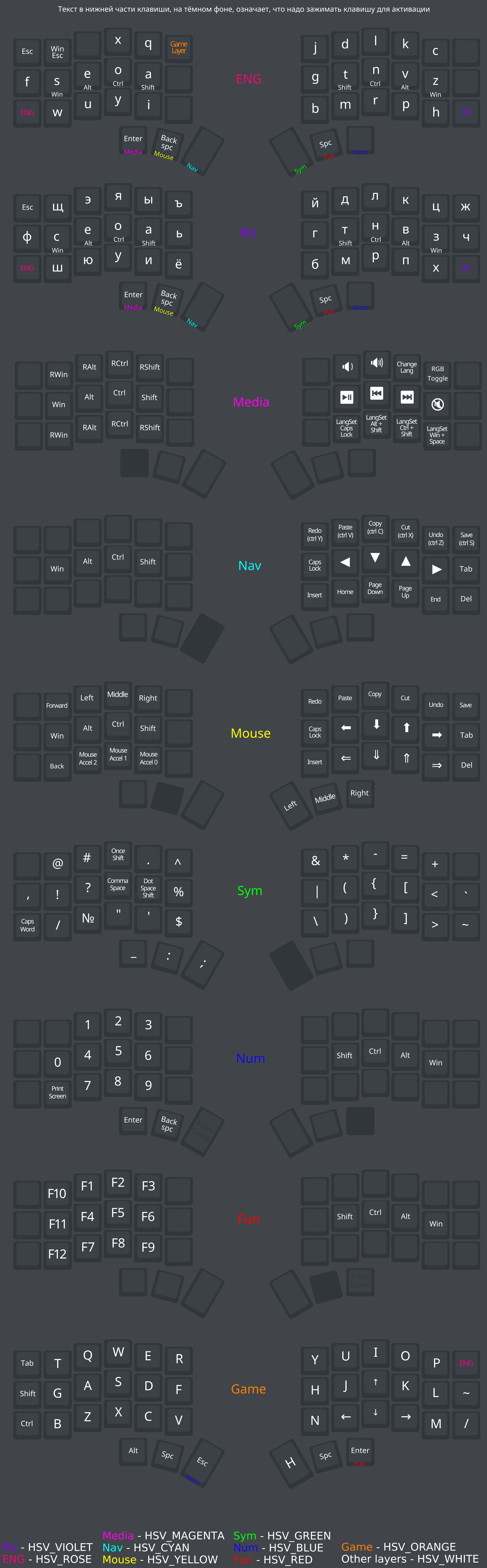
My keyboard settings. Mostly inspired by Miryoku and this Russian keyboard layout.
TODO:
- Add custom keycodes to VIAL https://get.vial.today/manual/custom_keycode.html
- Upgrade VIAL to QMK state (currently firmware is very different, I use QMK)
- Write a more detailed flashing guide below
- Swap Z and H to make it easier to typing the bigram CH
Flashing on Arch Linux
Vial
Coming soon...
https://get.vial.today/docs/porting-to-vial.html
The old version of the guide
- Create firmware file
make crkbd/rev1:vial- Flash one half of the keyboard, then the other half
qmk flash -kb crkbd/rev1 -km vial
QMK
https://docs.qmk.fm/#/newbs_getting_started
Type this in the terminal
sudo pacman --needed --noconfirm -S git python-pip libffiparu -S qmk-gitqmk setup- Move your settings to the
~/qmk_firmware/keyboards/crkbd/keymaps/defaultdirectory. Or you can create your own directory inkeymapsinstead ofdefaultand put your settings there. qmk compile -kb crkbd/rev1 -km defaultqmk flash -kb crkbd/rev1 -km default
That's all
Layout
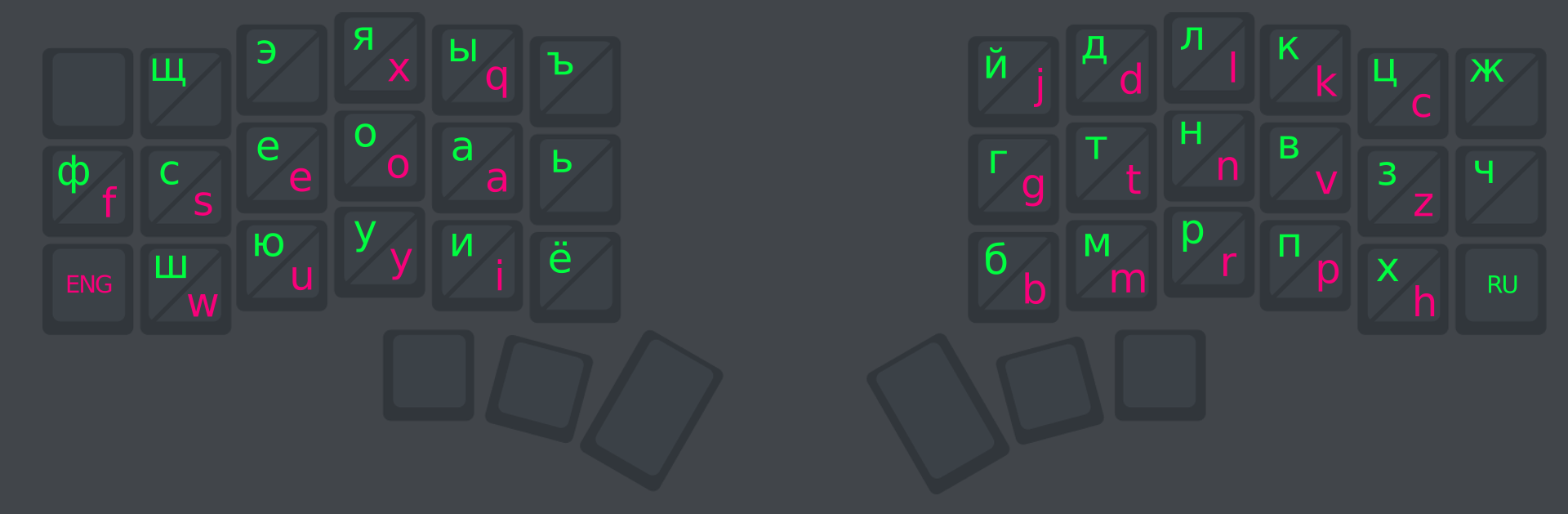
Phonetic layout
Layers