My apex legends cfg
| _Images | ||
| ALGS Config | ||
| Memory Cleaner | ||
| Nvidia Profile Inspector | ||
| split_kb | ||
| Windows Tweaks | ||
| _config.yml | ||
| autoexec.cfg | ||
| README.md | ||
| reticles.cfg | ||
| superglide.cfg | ||
| superglide1.cfg | ||
| superglide2.cfg | ||
| videoconfig.txt | ||

CFG Files
- Download and extract it.
- Move autoexec.cfg, superglide.cfg, superglide1.cfg, superglide2.cfg and reticles.cfg to the games directory cfg folder (Usually in C:\Program Files (x86)\Steam\steamapps\common\Apex Legends\cfg).
- Rightclick on the game inside of Steam and go to "Properties".
- Switch to the "General" Tab.
- Add the command in launch options "+exec autoexec.cfg -dev" (without the Quotation marks).
| Command | Description |
|---|---|
+exec |
Executes a cfg file on startup |
-dev |
Skips EA intro on startup, can cause HUD flicker issues on NVIDIA cards |
-fullscreen |
Forces the game to launch in fullscreen mode |
Videoconfig
- Press Win+R while you are on your desktop.
- Paste this inside the Run box: "%USERPROFILE%\Saved Games\Respawn\Apex\local" (without the Quotation marks).
- Move videoconfig.txt in it.
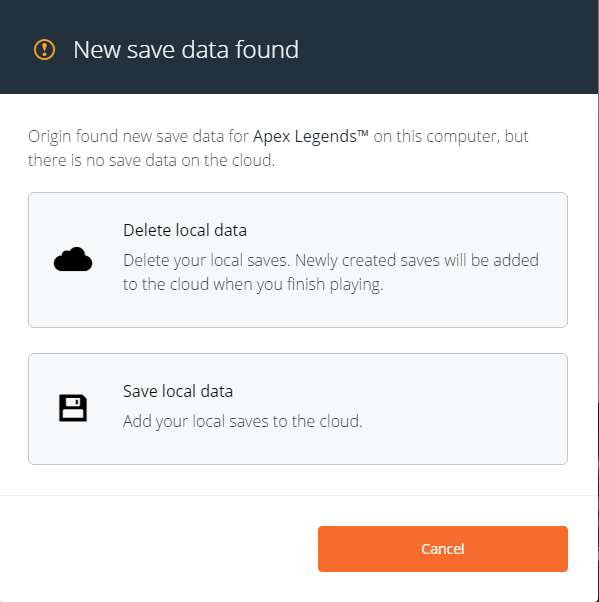
- For Origin users make sure your Origin Cloud Sync is disabled in the origin settings or Start the game with local saves.
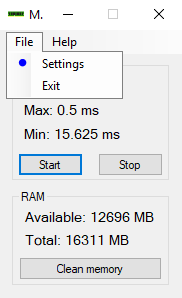
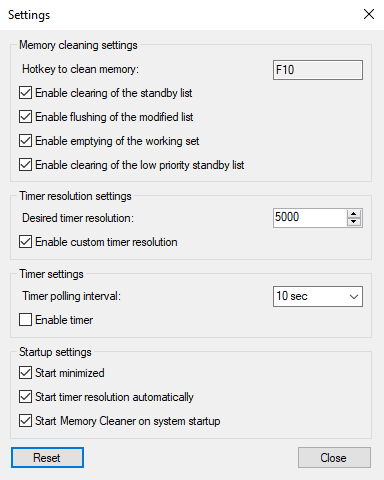
Forced Timer
- Move Memory Cleaner to "C:\Program Files" or somewhere safe.
Consistant Frame Caping
- Capping FPS is good or bad? and How to cap it? Answer : Watch this video
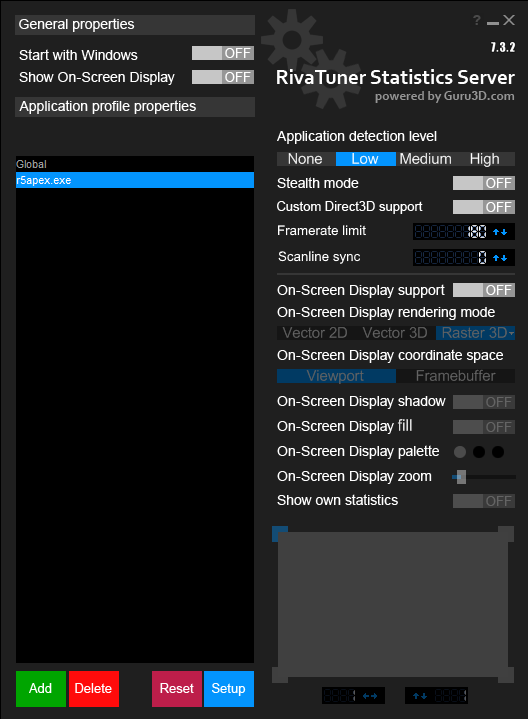
- In-game cap or RTSS but now RTSS is optional
- In-game cap, Change fps_max 0 (in autoexec.cfg and superglide2.cfg) to your monitor hz because here (Lowest latency)
- RTSS for framerate caping and it is the best in frametime consistancy (Adds some latency but smoother than in-game cap)
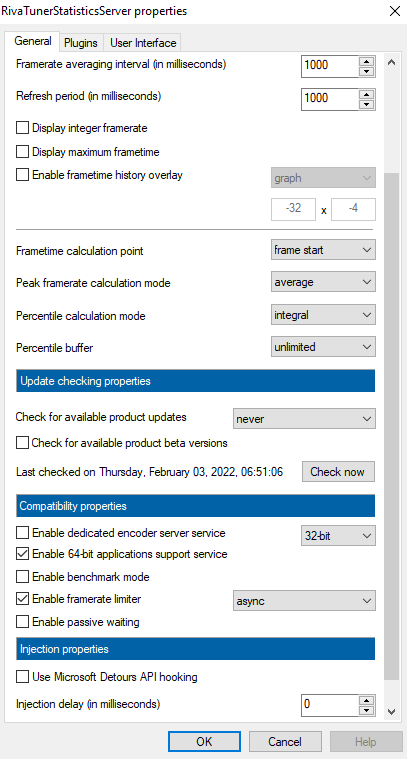
Advantages
- In terms of fps [OUTDATED](This was season 12's benchmark result)
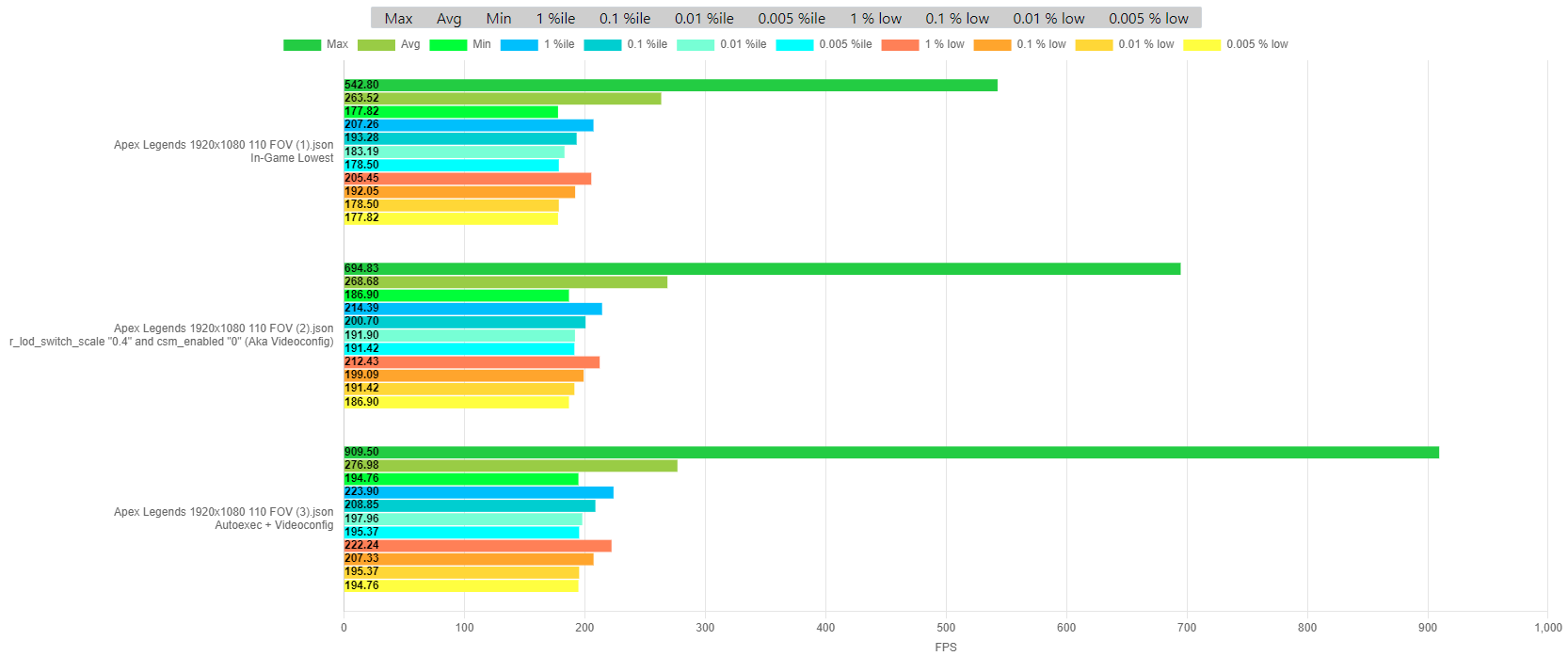
Gaming OS
- BIOS Settings And Overclocking Are Important (You Don't Gain FPS Magical By Switching OS)
- There is no best. Drivers, power plans, tweaks, even isos ... they all depend on your hardware, games, needs, and personal preferences. What is great for me may be terrible for you. The only way to know what is best for you is to test it yourself.
Infomative
Gaming OS
- ggOS - Windows 10 (2H02)
- XOS - Recommended for Windows 10 (1607) & Windows 11
- ReviOS - Recommended for Windows 11
- AtlasOS - Recommended for Windows 10 (1803)
Github
- Zusier - Optimizer
- BoringBoredom - BoringBoredom’s Latency Guide
- AutoEQ - Automatic headphone and iem equalization
- Timecard - Timecard’s Latency Guide
- Couleur Tweak Tips - Tweaks and settings
- EVA - Windows 7 and Windows 10 Optimization Guide
Discord Servers
- Couleur Tweak Tips - Content creator settings and tweaks
- Felipe - Info and tweaking server
- EchoX - One click Optimizer
- Calypto - Tweaking server
Forums
- Calypto - Calypto’s Latency Guide
- Nikos - Niko's Latency Guide
- Imribiy - NTLite Guide for creating your own custom OS
BIOS